Building an AWS data perimeter
You did the least-privilege work. Every role is scoped and every policy is reviewed. A leaked credential still exposes your data. Least-privilege answers one of the three questions a request raises, and IAM never asks the other two. A data perimeter asks all three at the organization level, so no single bucket can miss them.
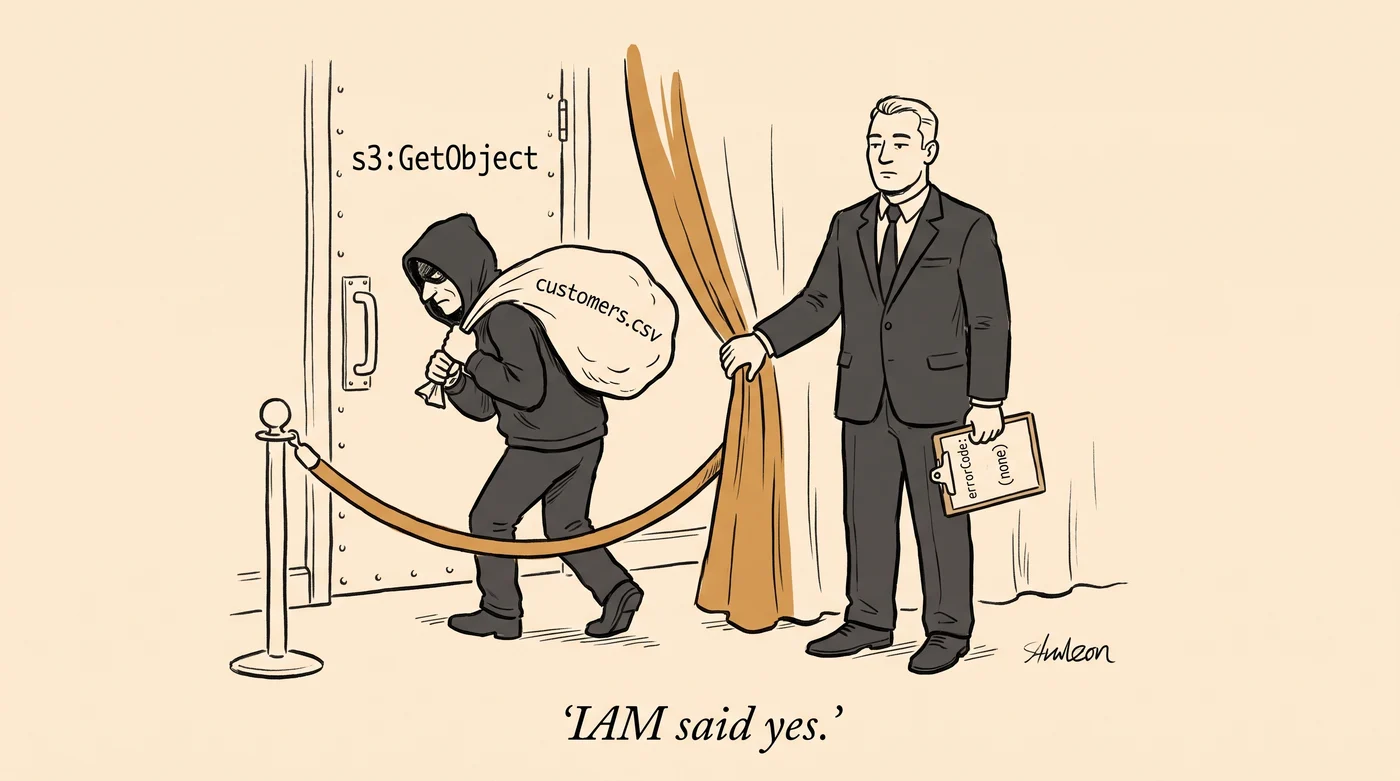
The gap least-privilege leaves
An IAM policy evaluates only the principal making the request. It says nothing about which network the request came from, or whether the resource is yours. Three failures show the gap:
- The leaked key. A build server keeps an access key in its config, scoped to
s3:GetObjecton the exports bucket and nothing else. The config ends up in a public repository. Attackers find such keys fast. Within the hour, a stranger runsaws s3 cp s3://exports-prod/customers.csv .from their own machine. With S3 data events on, CloudTrail records theGetObjectwith noerrorCode, which means a success. Nothing required the request to come from the build server, or from your network. - The SSRF copy. An EC2 role holds
s3:PutObjecton*because the team never decided which buckets it writes to. An attacker gets its credentials through an SSRF bug and copies your database dumps into a bucket in an account they own. The role may put objects anywhere, so IAM said yes. - The open bucket policy. A bucket policy for a vendor integration names
"Principal": "*". Someone removed its condition during a debugging session and never put it back.
In each case IAM did exactly what the policy said. Least-privilege IAM is necessary, but it describes only the principal, never where the request came from or what it touched.
What IAM answers, and what it does not
The model in brief: a principal requests an action (s3:GetObject) on a resource (a bucket, a key, a queue). A principal is a user, a role, or an AWS service acting as one. Policies on the principal say what it may do. Policies on the resource say who may touch it.
Conditions check facts about the request, and a condition key names each fact. Examples are the caller’s account, the source IP (aws:SourceIp), MFA use, and a tag on the resource. An explicit deny anywhere wins. Otherwise a policy must allow the request, or the request fails.
That model answers “may this principal do this?” It does not answer three other questions:
- Is this principal one of mine? In an identity policy, always yes, because the policy is attached to your own principal. A resource policy can name any principal in any account, and then that principal can reach your data.
- Is this request coming from somewhere I expect? A credential is a bearer token. Unless a policy says otherwise, IAM accepts the credential from your VPC or from a hotel in a country where you have no operations.
- Is the resource being touched one of mine? Permission to write objects does not separate your bucket from an attacker’s bucket.
A data perimeter asks those three questions on every request, in every account, without any team having to remember the condition. AWS calls the three checks trusted identities, trusted resources, and expected networks.
You could add aws:PrincipalOrgID to every bucket policy, aws:SourceVpc to every key policy, aws:ResourceOrgID to every role. Most estates I have seen do it that way, resource by resource. This approach fails on the one bucket that somebody created on a Friday without the condition. The incident report then tells you which bucket. The perimeter has to sit at the organization level, so the Friday bucket inherits it.
Four controls do the work, and the first two do most of it. Each control covers more than one question:
- Service control policies (SCPs), set once at the organization: trusted resources and expected networks, for your principals.
- Resource control policies (RCPs), set once at the organization: trusted identities and expected networks, for your resources.
- VPC endpoint policies: the identity and resource checks again, on your private path.
- KMS key policies: all three, on each key.
Service control policies: what your own principals may do
An SCP attaches to an OU or an account in AWS Organizations. It limits what any principal in that account can do, whatever its IAM policies grant. An SCP grants nothing itself. A role with AdministratorAccess under an SCP that denies s3:* cannot touch S3. The people who can edit the role work in the member account. They cannot detach an SCP that is attached above that account.
Start with three SCPs.
Trusted resources:
{
  "Sid": "OnlyOurResources",
  "Effect": "Deny",
  "Action": ["s3:*", "sqs:*", "kms:*", "secretsmanager:*"],
  "Resource": "*",
  "Condition": {
    "StringNotEqualsIfExists": {
      "aws:ResourceOrgID": ["o-aaaaaaaaaa", "o-bbbbbbbbbb"],
      "aws:PrincipalTag/dp:exclude:resource": "true"
    }
  }
}
The policy denies these service calls when the resource is outside the listed organizations. The RCP section explains why there are two org IDs. This policy stops the SSRF copy: the role still has s3:PutObject on *, but the attacker’s bucket has the wrong org ID.
The IfExists does not create an exception. In a Deny with a negated operator, a missing key counts as a match. So the statement also blocks resources that are in no organization. This is deliberate. It is also why the AWS-owned buckets that your workloads read need an exception list (see the failures that recur in part 2). The dp:exclude:resource tag gives an exception to a role that must reach outside resources. Protect that tag, as part 2 explains.
This SCP has no aws:ViaAWSService exception, on purpose. Services that act with your credentials, such as Athena, can write to a bucket that anyone owns. A general exception would allow those writes. If a named service must reach an AWS-owned resource for you, add a separate statement that allows that access. Use aws:CalledVia for that service only.
Protecting the controls. Deny cloudtrail:StopLogging, cloudtrail:DeleteTrail, guardduty:DeleteDetector, config:StopConfigurationRecorder and the related actions for every principal except one named security role. Match that role on aws:PrincipalArn. An attacker with admin access in a member account will try to stop your logging and detection. This deny keeps them running.
Closing known paths. The rest of a mature SCP set is specific denies, and each one closes one path. For example, anyone who can run a CodeBuild job in an account with a CodeConnections integration can reach an undocumented internal endpoint. That endpoint returns the raw GitHub or Bitbucket token behind the integration, with every scope the integration has. The fix is an org-wide deny on codeconnections:GetConnectionToken and the older codestar-connections:GetConnectionToken. AWS treats the endpoint as normal CodeBuild behavior, so you must write the deny. No CIS benchmark includes it.
One limit shapes the whole design: SCPs apply to your principals only. Someone else’s IAM user reaching your bucket through a permissive bucket policy is in a different organization and never meets your SCPs. An aws:PrincipalOrgID condition in an SCP cannot keep outsiders out, because every principal that an SCP evaluates is already inside your organization. For years, AWS had no central control over who reaches your resources.
Resource control policies: who may touch your resources
RCPs, the newest control in this design, changed that. AWS shipped them in November 2024 for a handful of services, including S3, STS and KMS, and the list has grown since. An RCP mirrors an SCP. It attaches at the same places and only restricts. It applies to every resource of the supported types in every account below it.
The difference is which side of the request each policy checks. AWS evaluates an SCP when one of your principals acts. AWS evaluates an RCP when anyone, from anywhere, acts on one of your resources.
The identity perimeter as an RCP:
{
  "Sid": "OnlyOurIdentities",
  "Effect": "Deny",
  "Principal": "*",
  "Action": [
    "s3:*", "sqs:*", "kms:*", "secretsmanager:*",
    "sts:AssumeRole", "sts:GetSessionToken", "sts:GetFederationToken",
    "sts:GetServiceBearerToken", "sts:GetAccessKeyInfo",
    "sts:DecodeAuthorizationMessage", "sts:SetContext"
  ],
  "Resource": "*",
  "Condition": {
    "StringNotEqualsIfExists": {
      "aws:PrincipalOrgID": ["o-aaaaaaaaaa", "o-bbbbbbbbbb"]
    },
    "BoolIfExists": {
      "aws:PrincipalIsAWSService": "false"
    }
  }
}
In this policy:
aws:PrincipalOrgIDis a list. An estate can span two AWS Organizations with production accounts in both. For example, a company runs one and a partner runs the other. “Your principals” then means two org IDs wherever the condition appears.aws:PrincipalIsAWSServicecarves out AWS services. AWS services such as CloudTrail, which writes logs to your bucket, have no org ID. Without the carve-out, the perimeter breaks logging on day one. Every control below needs the same carve-out. Alone, the carve-out is too broad: any AWS service could act on your resources for any customer. The next statement closes that gap.- The STS actions are listed one by one instead of
sts:*, for a reason covered under CI federation in part 2.
The second statement makes sure a service works on your resources only for an account in your org:
{
  "Sid": "EnforceConfusedDeputyProtection",
  "Effect": "Deny",
  "Principal": "*",
  "Action": ["s3:*", "sts:*", "kms:*", "sqs:*", "secretsmanager:*"],
  "Resource": "*",
  "Condition": {
    "StringNotEqualsIfExists": {
      "aws:SourceOrgID": ["o-aaaaaaaaaa", "o-bbbbbbbbbb"]
    },
    "Null": {
      "aws:SourceAccount": "false"
    },
    "Bool": {
      "aws:PrincipalIsAWSService": "true"
    }
  }
}
This statement applies only to AWS service principals, and only when the request names the account the service works for (aws:SourceAccount). Not every service integration sends aws:SourceAccount. The Null check stops the statement from denying the integrations that do not send it.
For control finer than the whole org, use aws:PrincipalOrgPaths and aws:ResourceOrgPaths. They match on the OU path (o-aaaaaaaaaa/r-ab12/ou-ab12-11111111/*). With these keys, you can limit production principals to production resources. In a deny, use ForAllValues:StringNotLikeIfExists.
Before RCPs, each bucket needed its own bucket policy to stay closed to principals outside the org. A scanner found the misses, and they stayed open until someone fixed them. An RCP does the same job with one statement at the org root. It covers the Friday bucket before that bucket exists. It also covers a role trust policy that someone widens to "Principal": {"AWS": "*"} and later strips of its condition. sts:AssumeRole on your roles is a resource action, and the RCP above includes it. The RCP sits above the trust policy, so its deny wins over any allow there.
RCP limits you will hit:
- Size and count. RCPs have a size cap and a per-target count limit, so consolidate statements carefully.
- The management account. SCPs and RCPs never apply to it. This is one of several reasons to run no workloads there.
- Services with their own authorization layer can behave unexpectedly. OpenSearch Serverless skips the network condition for SAML users. For each service that the RCP protects, try an access that the RCP should refuse. Confirm that the request fails.
VPC endpoint policies and the network condition
Neither policy above stops the leaked key. The credential and the bucket are both yours, so every identity and resource check passes. The only thing wrong is where the request came from.
Two controls answer this question. The first is a VPC endpoint. Traffic from your VPC to an AWS service normally leaves through a NAT or internet gateway and comes back in through the service’s public endpoint. A VPC endpoint keeps that traffic on a path you control:
- Interface endpoint (PrivateLink, for nearly everything): a network interface with a private address in your VPC.
- Gateway endpoint (S3 and DynamoDB): a route-table entry. The request still goes to the service’s public address but never leaves the AWS network.
The endpoint has its own policy. The network side of the perimeter starts there:
{
  "Effect": "Allow",
  "Principal": "*",
  "Action": "*",
  "Resource": "*",
  "Condition": {
    "StringEquals": {
      "aws:PrincipalOrgID": ["o-aaaaaaaaaa", "o-bbbbbbbbbb"],
      "aws:ResourceOrgID": ["o-aaaaaaaaaa", "o-bbbbbbbbbb"]
    }
  }
}
This endpoint admits only your principals, and only to your resources. A foreign credential fails here. A compromised workload cannot push data to a foreign bucket through the private path. Alone, this policy blocks everything that fails the org checks. A real endpoint policy adds:
- An Allow for
aws:PrincipalIsAWSService: true, so services coming through the endpoint still work. - The AWS-owned buckets your workloads read, by ARN on the S3 endpoint (the SSM buckets, the Amazon Linux repos,
amazon-eks). The trusted-resources SCP had the same problem. - An exception for org principals that carry an exception tag, as the AWS samples do.
The second control is a resource-side condition in the RCP or the bucket policy. It requires requests to arrive from one of your VPCs or endpoints:
{
  "Sid": "OnlyOurNetworks",
  "Effect": "Deny",
  "Principal": "*",
  "Action": "s3:*",
  "Resource": "*",
  "Condition": {
    "StringEquals": {
      "aws:PrincipalTag/dp:include:network": "true"
    },
    "StringNotEqualsIfExists": {
      "aws:SourceVpc": ["vpc-0a1b2c3d", "vpc-4e5f6a7b"]
    },
    "NotIpAddressIfExists": {
      "aws:SourceIp": ["203.0.113.0/24"]
    },
    "BoolIfExists": {
      "aws:PrincipalIsAWSService": "false",
      "aws:ViaAWSService": "false"
    },
    "ArnNotLikeIfExists": {
      "aws:PrincipalArn": "arn:aws:iam::*:role/aws:ec2-infrastructure"
    }
  }
}
The policy applies only to principals tagged dp:include:network. Tag your workload principals, such as the one the build server uses, and leave people untagged (more on that below). EC2 itself uses the aws:ec2-infrastructure role, for example to attach encrypted EBS volumes. That role must stay outside the perimeter.
Walk the stranger’s request through this policy. The build server’s principal carries the include tag, so the policy applies. The request comes from a public IP, so aws:SourceVpc is absent and the VPC condition is true. The IP is outside your office range and no service is involved, so the IP and service conditions are also true. Every condition is true, so the deny applies. The policy refuses the key that worked at the start of this post, with the same permissions attached.
Legitimate requests still pass:
- An EC2 instance in a listed VPC calling S3 through the gateway endpoint:
aws:SourceVpcmatches, so the VPC condition is false and no deny applies. - CloudFormation creating a bucket for you with your credentials:
aws:ViaAWSServiceis true, so the service condition is false and no deny applies.
People often forget the ViaAWSService exception. Many AWS services call other services with your credentials, the way Athena reads S3 for you. AWS calls this a forward access session. Those calls carry no VPC or source IP of yours. If you want a bucket that is reachable only through one endpoint, use aws:SourceVpce. It works like aws:SourceVpc for one endpoint.
The VPC list gets harder to maintain over time. Each new account brings a VPC that someone must add to the list. When nobody adds it, the perimeter locks the workload out, or someone widens the list as a quick fix.
aws:VpceOrgID replaces the list. A request through a VPC endpoint carries the org ID of the account that owns the endpoint. So “any endpoint of ours” becomes two IDs that never change. The key works only for some services. S3, KMS and SQS are on the list, so check it for anything else behind the perimeter. The VPC condition in the policy above becomes:
{
  "StringNotEqualsIfExists": {
    "aws:VpceOrgID": ["o-aaaaaaaaaa", "o-bbbbbbbbbb"]
  },
  "NotIpAddressIfExists": {
    "aws:SourceIp": ["203.0.113.0/24"]
  },
  "BoolIfExists": {
    "aws:PrincipalIsAWSService": "false",
    "aws:ViaAWSService": "false"
  }
}
The same swap works in a bucket policy. A request that never went through an endpoint has no aws:VpceOrgID. With the negated operator, the policy still denies that request, as it should.
The office CIDR is for people, because people in a console are outside every VPC. Alone, the CIDR is a weak control, because EC2 and Lambda make source IPs nearly free to rotate. Use aws:SourceIp as the exception list for people. Keep workloads on aws:SourceVpc. Better, keep people out of the include tag entirely, as the policy above does. Control people’s access through the identity provider, with MFA and short sessions.
EC2 gets one more control, the direct answer to the SSRF copy. When EC2 gives a role’s credentials to an instance, it records the VPC and private IP of the instance’s primary network interface. Every request signed with those credentials carries both, as aws:Ec2InstanceSourceVpc and aws:Ec2InstanceSourcePrivateIPv4. Compare aws:Ec2InstanceSourceVpc with the VPC that the request came from. The credential then works only in its own VPC:
{
  "Sid": "InstanceCredentialsStayHome",
  "Effect": "Deny",
  "Action": "*",
  "Resource": "*",
  "Condition": {
    "StringNotEquals": {
      "aws:Ec2InstanceSourceVpc": "${aws:SourceVpc}"
    },
    "Null": {
      "ec2:SourceInstanceARN": "false"
    },
    "BoolIfExists": {
      "aws:ViaAWSService": "false"
    }
  }
}
The Null check on ec2:SourceInstanceARN limits the statement to instance-role credentials. The statement does not affect Lambda or any other credentials. Take a credential that an attacker steals through SSRF and replays from their own machine. That request has no aws:SourceVpc, so it fails the match and the statement denies it. A second statement can match aws:Ec2InstanceSourcePrivateIPv4 against aws:VpcSourceIp. Never use the IP check alone, because private addresses repeat across VPCs.
Before you attach this statement, know its limits:
- It denies the instance’s own traffic that skips VPC endpoints, since a request over the public path has no
aws:SourceVpceither. - It does not stop the SSRF from fetching the credential. That is IMDSv2’s job.
- It covers EC2 instance-role credentials only. ECS task roles, EKS pod credentials and Lambda roles do not carry these keys. For them, the SSRF copy stays open. Also block containers from the instance metadata service (on ECS,
ECS_AWSVPC_BLOCK_IMDS). Otherwise they can take the instance role instead.
IMDSv2 requires a PUT for a session token before it returns credentials. Most SSRF bugs can only send a GET. Enforce IMDSv2 with:
- An SCP at launch: deny
ec2:RunInstancesunlessec2:MetadataHttpTokensisrequired. - An SCP on changes: deny
ec2:ModifyInstanceMetadataOptionsunlessec2:Attribute/HttpTokensisrequired, so nobody downgrades later. - The account-level IMDS default, for launches that do not specify it.
Before you change an endpoint policy, turn on CloudTrail network activity events for VPC endpoints. They show what crosses an endpoint before you restrict it. They are opt-in per event source and billed separately. They cover a growing list of services, so check that yours are on the list. Once a policy is live, endpoint-policy denies show up in the same events with the VpceAccessDenied error code.
KMS as the backstop, and the ransomware case
Encryption at rest protects you from a stolen disk, and nobody steals disks from AWS. A compromised principal just reads the plaintext through the normal API. KMS adds value through the key policy, one more resource policy that can carry every condition above.
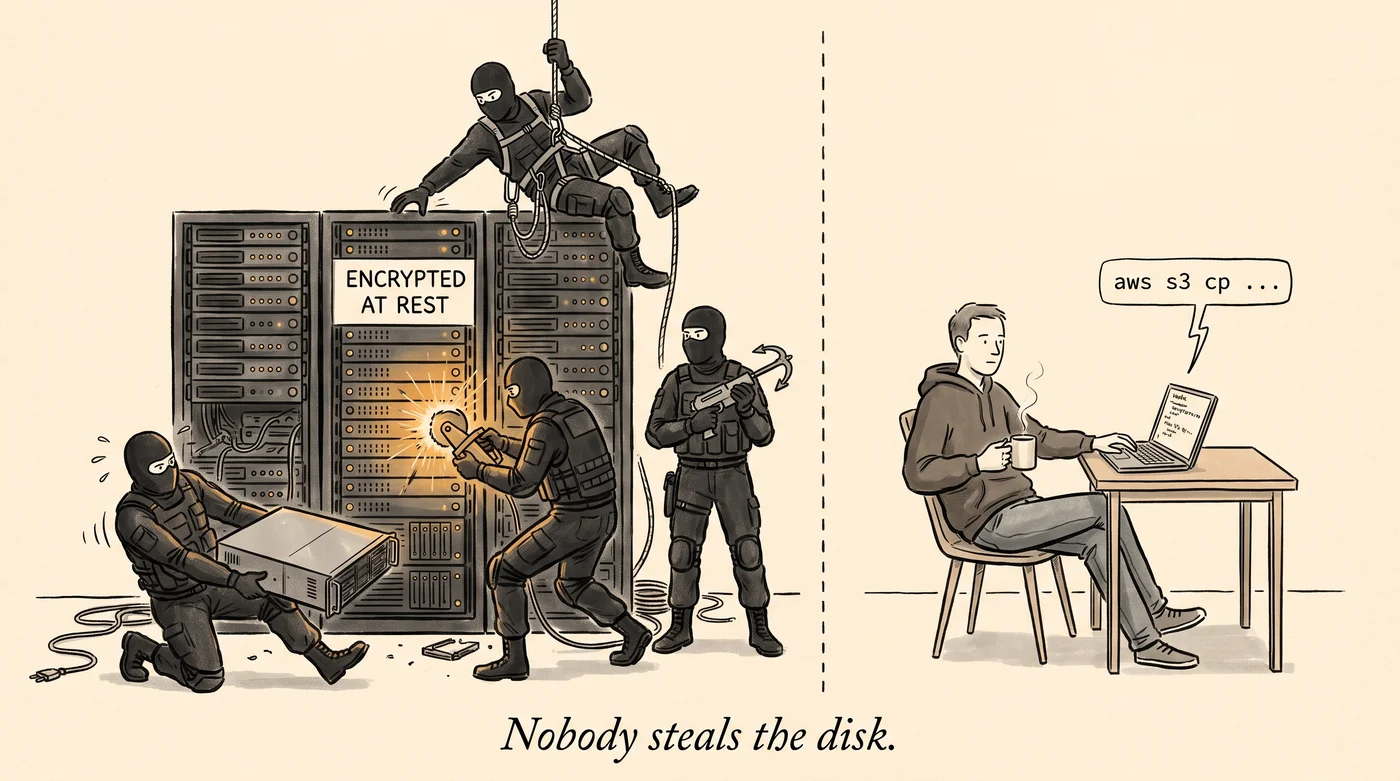
By default, only the key policy controls access to its key. IAM policies can allow access only if the key policy lets them. The "AWS": "arn:aws:iam::123456789012:root" line in the default policy does exactly that. An IAM deny works either way. Picture a key policy that denies decryption unless aws:PrincipalOrgID is yours and aws:SourceVpc is one of yours, with the same service carve-outs. That policy is a second perimeter that holds even if the bucket policy is wrong.
RCPs cover KMS too. They put the org-level identity and network conditions on every customer managed key, with no edits to each key. They do not cover AWS managed keys, which a service creates and manages for you.
Cloud ransomware rarely locks your own keys. It encrypts your data with a key you do not hold. An attacker with s3:GetObject and s3:PutObject copies each object over itself, encrypted with a KMS key from their own account. Or they use SSE-C (server-side encryption with customer-provided keys). With SSE-C, the client sends the key bytes with each request and AWS keeps nothing. Then they delete the originals and send the ransom note.
Many AWS services have operations that change encryption. Plenty of those API names contain nothing like “encrypt”.
The trusted-resources SCP already stops the foreign KMS key: it denies kms:* against a key outside your org. What remains is a short list of denies, in bucket policies, key policies, SCPs or RCPs:
- Deny
s3:PutObjectwhen thes3:x-amz-server-side-encryption-customer-algorithmheader is present. That blocks SSE-C. S3 now turns SSE-C off by default on new buckets, so the deny matters where it is still on. - Deny
kms:ScheduleKeyDeletionfor everyone but the security role. The deletion window is 7 to 30 days. That window is the only grace period AWS gives you here. - Put
kms:DisableKeyandkms:PutKeyPolicyin the same deny. A disabled key has no waiting period. Everything encrypted under it fails on next use. Alone, a disabled key is an outage, because anyone withkms:EnableKeycan turn it back on. It becomes a ransom case when the attacker also callsPutKeyPolicyand removes your account from the key policy. Then only AWS Support can restore your access, and CloudTrail shows no deletion anywhere. KMS refuses a key policy that locks out its own caller, unless the request setsBypassPolicyLockoutSafetyCheck. So also denykms:PutKeyPolicyandkms:CreateKeywhen thekms:BypassPolicyLockoutSafetyCheckcondition key is true. - Add
kms:CreateGrantto that deny. A grant is the third way to get access to a key, after the key policy and IAM. It gives a principal access directly, appears in neither policy, and shows up only throughListGrantsorCreateGrantevents in CloudTrail. Services create grants constantly to encrypt your data, so denykms:CreateGrantonly whenkms:GrantIsForAWSResourceis false. That blocks people and leaves services working. - Bind a key to one service with a
kms:ViaServicedeny. Put this statement in the key policy. The key then works only when S3 in that region calls KMS for the caller. KMS refuses the CLI, EBS, and any script that callskms:Encryptdirectly. A condition on an Allow statement is not enough. The default key policy lets IAM policies grant direct use, and those IAM permissions still work.
{
  "Sid": "OnlyThroughS3",
  "Effect": "Deny",
  "Principal": { "AWS": "*" },
  "Action": ["kms:Encrypt", "kms:Decrypt", "kms:ReEncrypt*", "kms:GenerateDataKey*"],
  "Resource": "*",
  "Condition": {
    "StringNotEquals": {
      "kms:ViaService": "s3.ap-south-1.amazonaws.com"
    }
  }
}
Add an aws:PrincipalArn exception if a break-glass role needs direct use of the key.
Last, turn on versioning and Object Lock in compliance mode on the buckets that matter. A delete becomes a delete marker, and a real delete is impossible for the retention period, even for root. These two controls are the only ones here that still hold after an attacker fully compromises the principal.
Next: rolling it out
Every control here is a deny, and a wrong deny in an SCP or RCP breaks production across the organization. Rolling out an AWS data perimeter covers the audit mode, the order, break-glass access, the failures that recur, and how to prove the perimeter holds.
Sources and further reading
Read AWS’s own material first, then the field write-ups.
- Building a Data Perimeter on AWS: AWS’s whitepaper on the three dimensions. It predates RCPs (June 2023), so read the resource half next to the RCP docs.
- Establishing a data perimeter on AWS: the Security Blog walk-through, one post per dimension.
- aws-samples/data-perimeter-policy-examples: the SCP, RCP and endpoint policies themselves, with the AWS-owned exception lists kept current.
- Bucket Monopoly: Breaching AWS Accounts Through Shadow Resources: Aqua walks through a real shadow-resource attack. It shows the trusted-resources gap exploited in practice.
- Cloud Encryption is worthless!: Chris Farris on why KMS without an identity perimeter adds little protection. Fix IAM first.
- Escalating Privileges via AWS CodeConnections, Part 2: Thomas Preece pulls a raw connection token out of a CodeBuild job. This is the incident that the CodeConnections deny guards against.